AI Minecraft Skin Generator

Upload a portrait, outfit photo, sketch, or character idea and use the ai minecraft skin generator to create one original blocky voxel skin preview. The ai minecraft skin generator is tuned for preserving identity cues while avoiding official logos, protected characters, and exact IP copies.

Create original game skins with an AI Minecraft skin generator

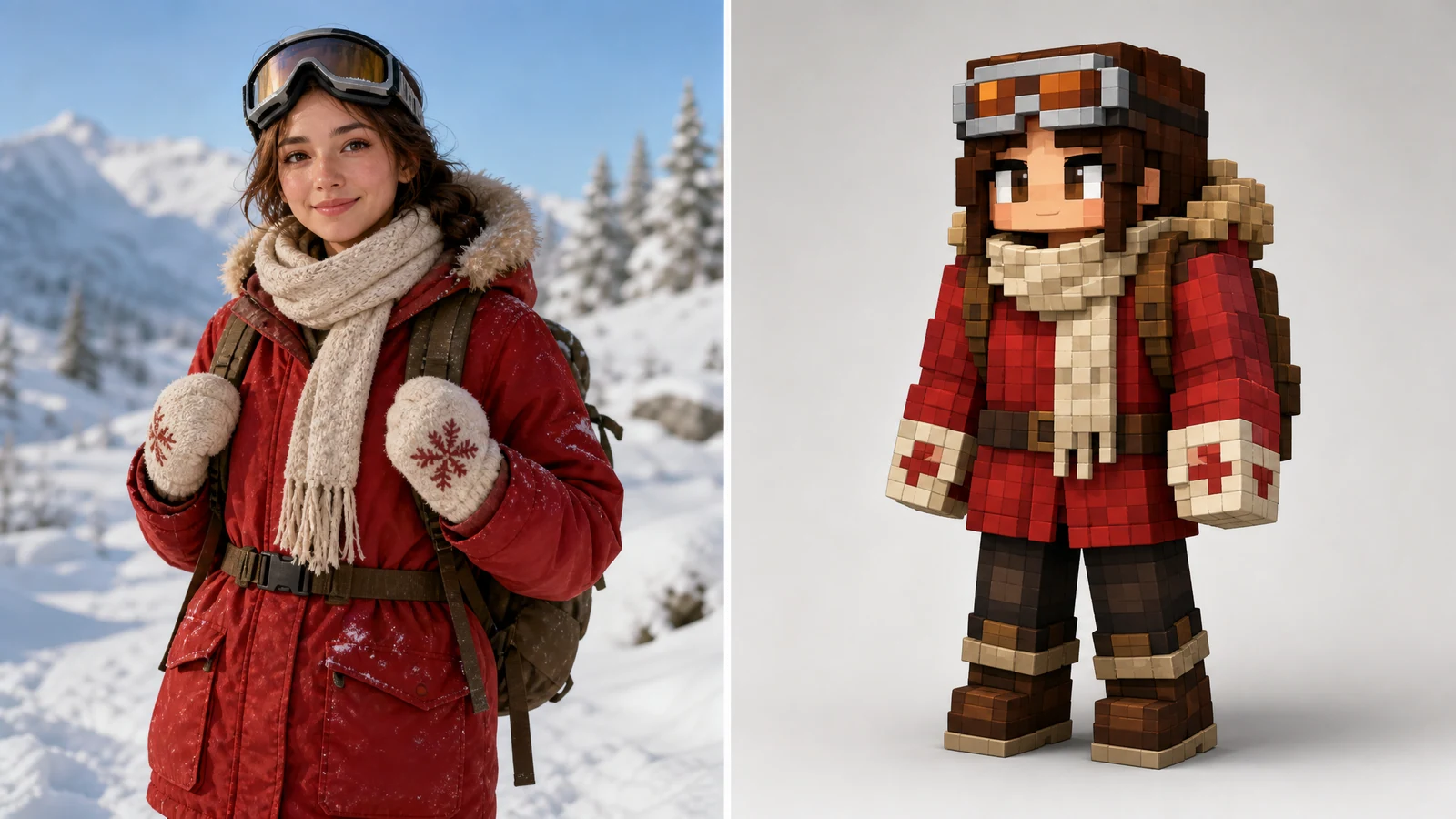
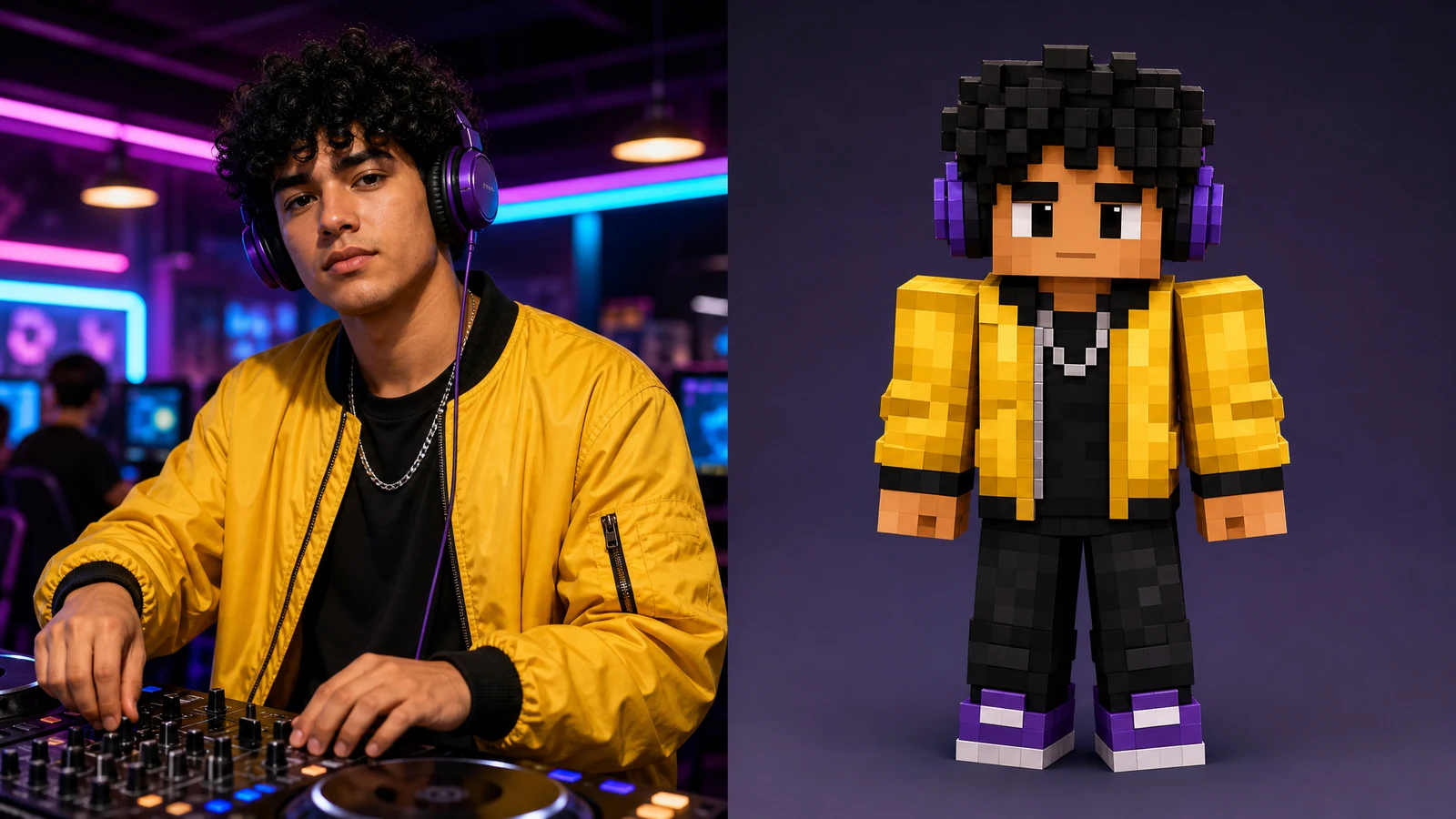
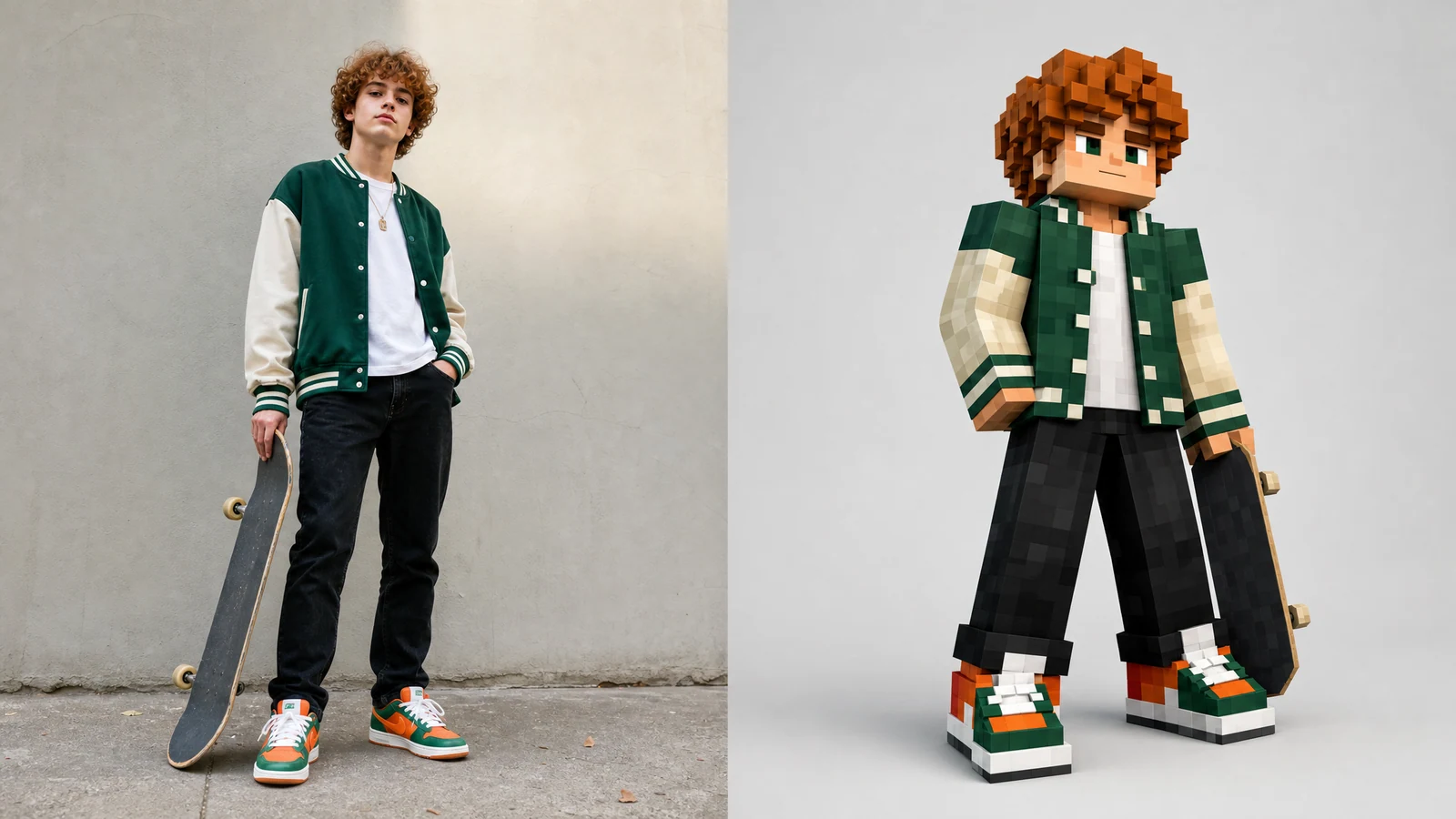
The ai minecraft skin generator helps creators move from a real reference to a playable-looking avatar concept. Each example shows the direction clearly: a source subject on one side and the same subject translated into blocky voxel sandbox-game skin style on the other side.

Minecraft skin generator AI example converting a realistic skateboarder reference into a blocky voxel skin

From Image

Use an AI Minecraft skin generator from image

The fastest ai minecraft skin generator workflow starts with a clear uploaded image. Use a front-facing portrait, a full outfit photo, a sketch, or a simple character reference you own. Then ask the ai minecraft skin generator from image to preserve broad identity cues: hair shape, glasses, jacket color, accessory placement, shoe accents, and the mood of the pose. The output should be an original skin preview, not a copied character. A careful ai minecraft skin generator prompt also says what to avoid: official Minecraft logos, game UI, Steve, Alex, celebrity likenesses, brand marks, and copyrighted characters. That keeps the minecraft skin generator ai result useful for personal avatar planning, game server concepts, and social previews without leaning on protected IP.
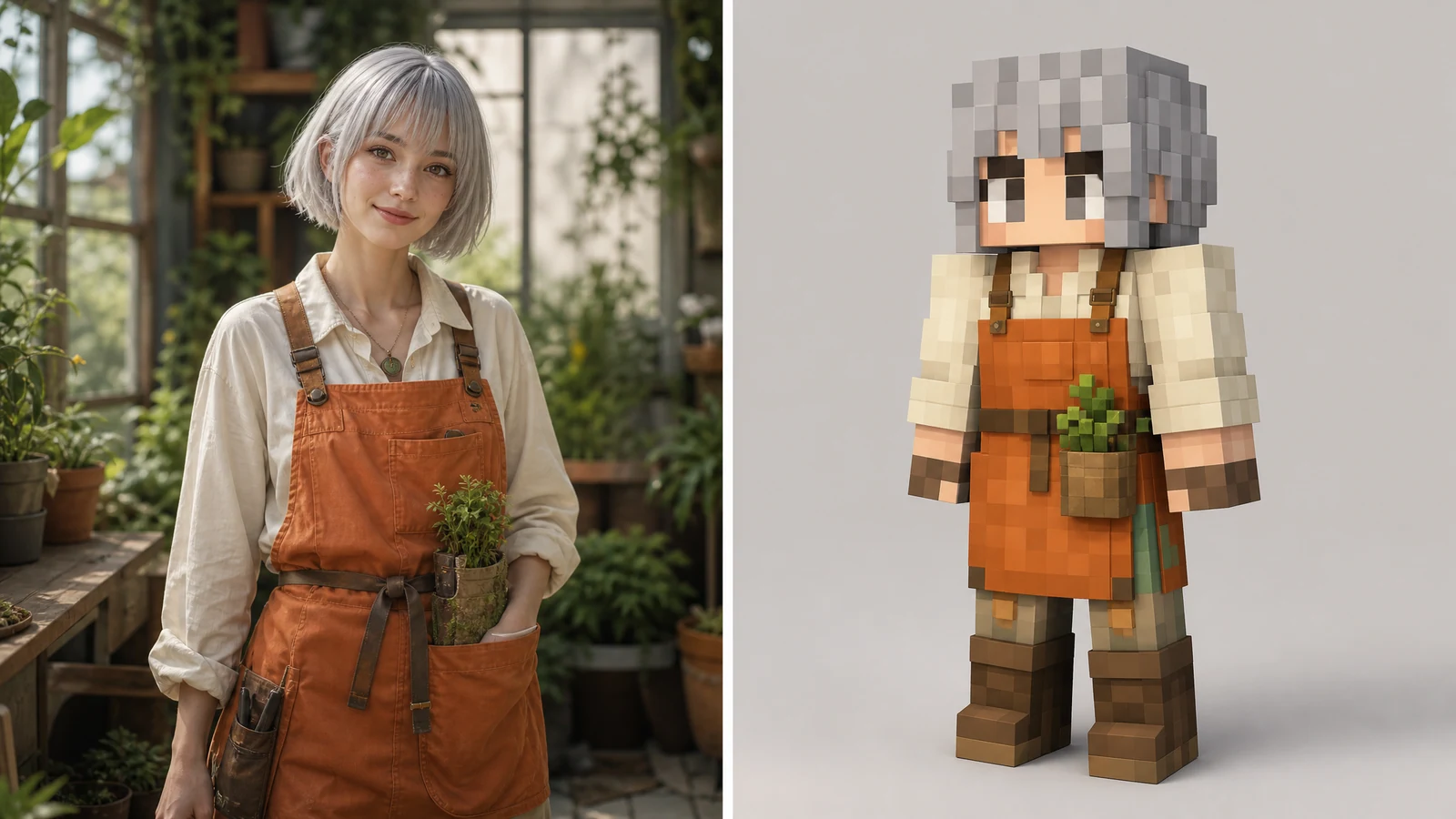
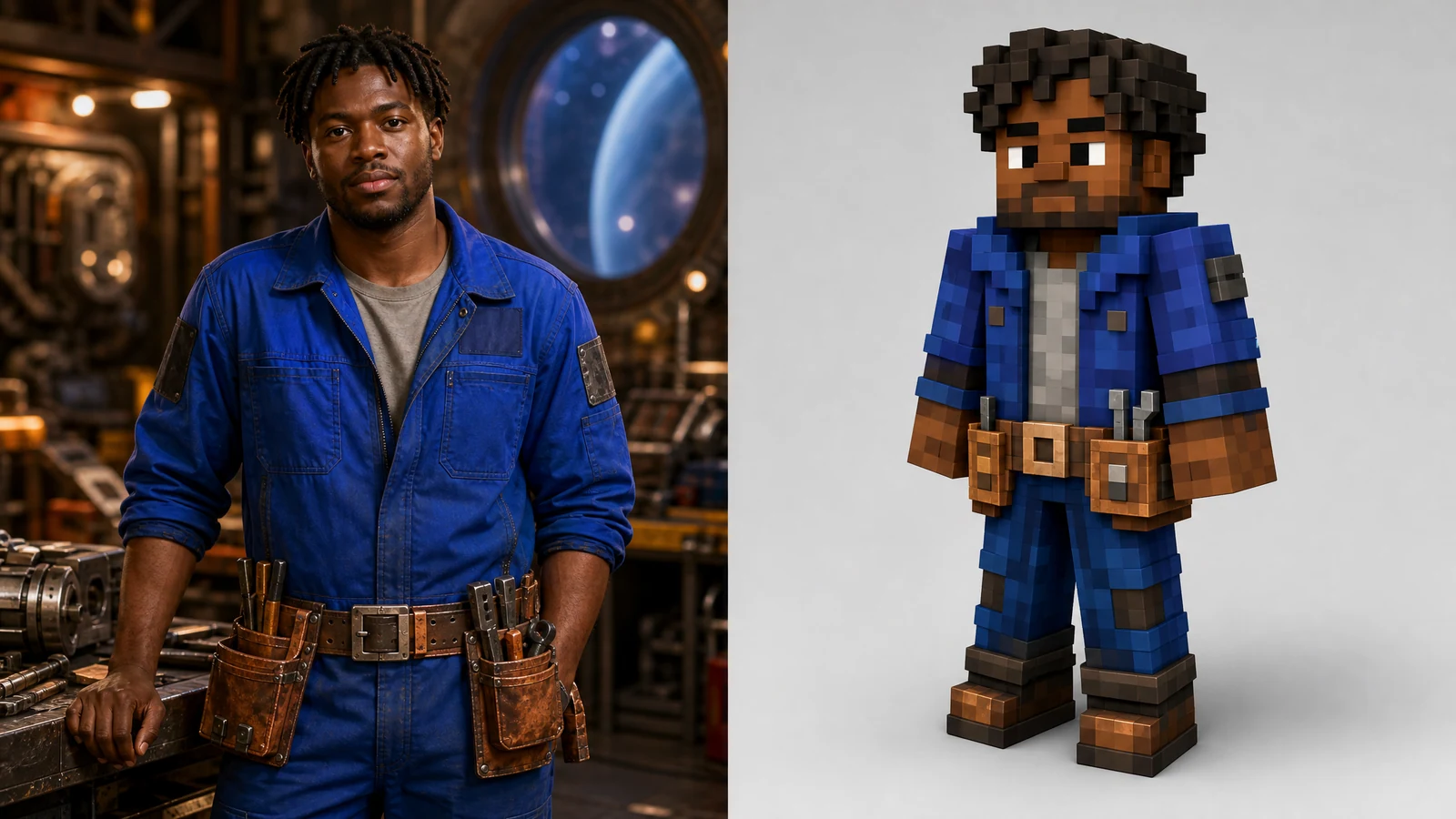
Photo referenceIdentity cuesVoxel skin
AI Minecraft skin generator from image example with a fantasy gardener converted into a voxel skin

Free Start

Try an AI Minecraft skin generator free workflow

People search for ai minecraft skin generator free because they want a quick way to test character ideas before opening a pixel editor. This page keeps the ai minecraft skin generator free workflow focused: upload or describe the subject, choose the image model, generate a first preview, then refine the palette and silhouette. The best ai minecraft skin generator result is not overloaded with tiny decorative noise. It uses large readable color blocks, square limbs, a clear head shape, and a few memorable details that survive the voxel transformation. If the first result looks too realistic, ask the ai minecraft skin generator to make the skin flatter, more pixel-art-like, and easier to read at game avatar scale.

Free trialQuick conceptReadable blocks
AI Minecraft skin generator free example turning a space mechanic photo reference into a blocky game skin

Game Avatar

Design an AI Minecraft skin generator game avatar

An ai minecraft skin generator game avatar should feel specific without copying a famous skin. Start with an original role: space mechanic, winter explorer, cyber cafe DJ, gardener, skateboarder, builder, streamer mascot, or server guide. Then give the ai minecraft skin generator the traits that must survive the transformation: jacket color, tool belt, scarf, goggles, curls, headphones, boots, or color accents. The minecraft skin generator ai output can become a reference for manual skin editing later. Treat it as a concept board: the ai minecraft skin generator gives you the skin direction, and you can still redraw, crop, or rebuild the final game file in your preferred skin editor.

Avatar conceptGame styleOriginal role
Workflow

How to use the AI Minecraft skin generator

Use this ai minecraft skin generator workflow when you want a clean original skin preview from text or an uploaded image. The ai minecraft skin generator is best for concepting and iteration, not for copying protected characters.

1

Upload or describe the subject

Start the ai minecraft skin generator with a photo, sketch, or written character brief. Mention the subject's outfit, hair, accessories, color palette, and the cues that should remain recognizable after the voxel conversion.

2

Ask for one transformed output

The default ai minecraft skin generator prompt asks for a single transformed skin preview. It does not ask for a split-screen result. Keep before-and-after imagery for page examples, not for user generation.

3

Add safety and originality limits

Tell the ai minecraft skin generator to avoid official Minecraft logos, branded UI, Steve, Alex, copyrighted characters, celebrity likenesses, brand marks, watermarks, and exact IP reproduction.

4

Refine the skin concept

If the ai minecraft skin generator output is too detailed, ask for stronger square geometry, flatter pixel-art colors, clearer outfit panels, and a neutral preview background. Save the concept when it reads well at small size.

AI Minecraft skin generator prompt ideas

These ai minecraft skin generator examples use before-and-after comparison imagery so visitors can see the effect. For real generation, use the default prompt above to request one transformed output from your uploaded image.

AI Minecraft Skin Generator FAQ

Common questions about using an ai minecraft skin generator free online, creating a minecraft skin generator ai result from image, and keeping outputs original.


Create an original AI Minecraft skin preview

Use the ai minecraft skin generator to turn a photo, outfit reference, sketch, or text character idea into a clean blocky voxel skin concept. Start with the default prompt, keep the result original, and refine the ai minecraft skin generator output until the colors and identity cues read clearly.