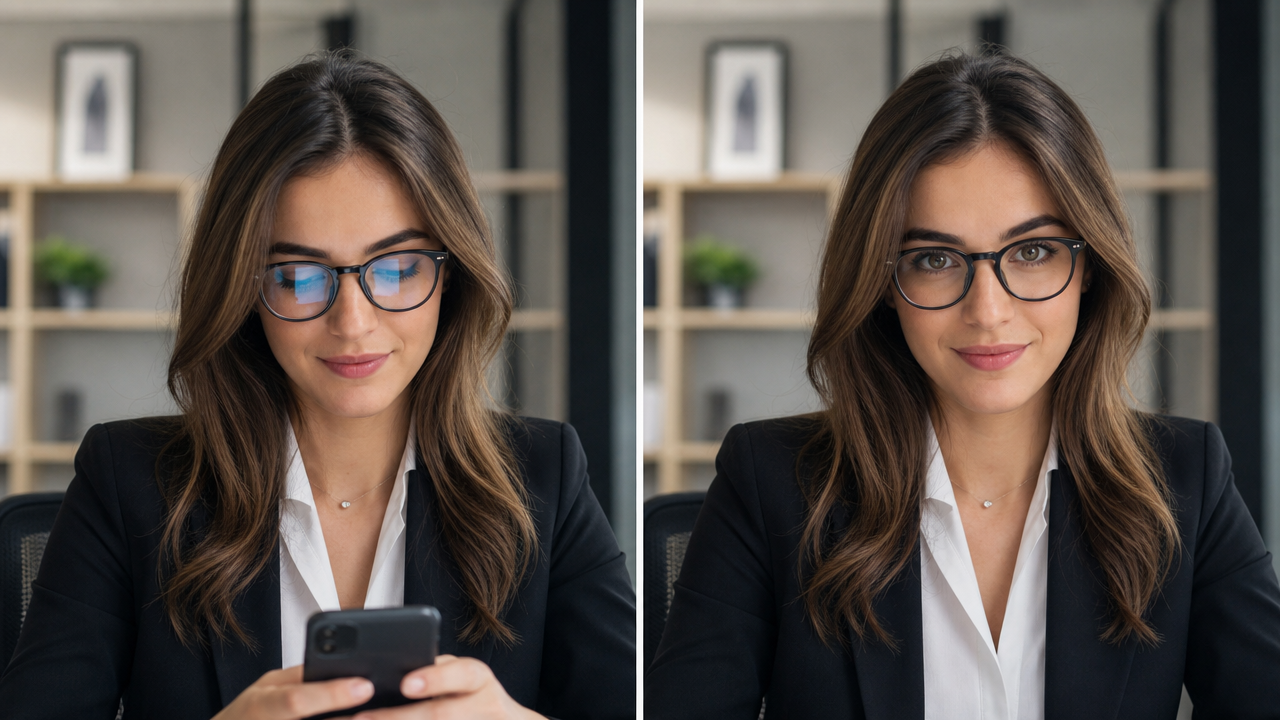
Change Eye Direction in Photos Instantly with Seeda AI

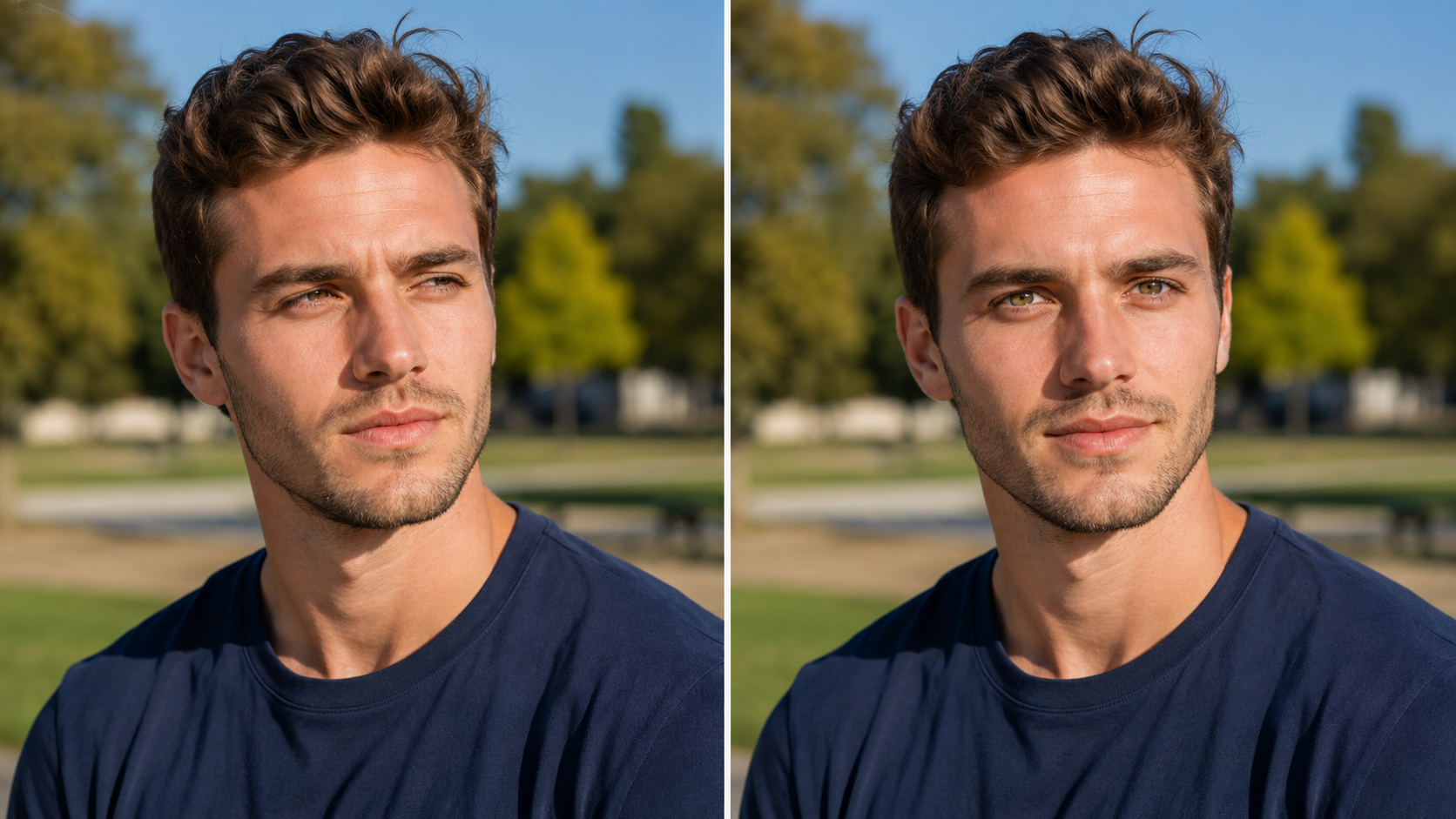
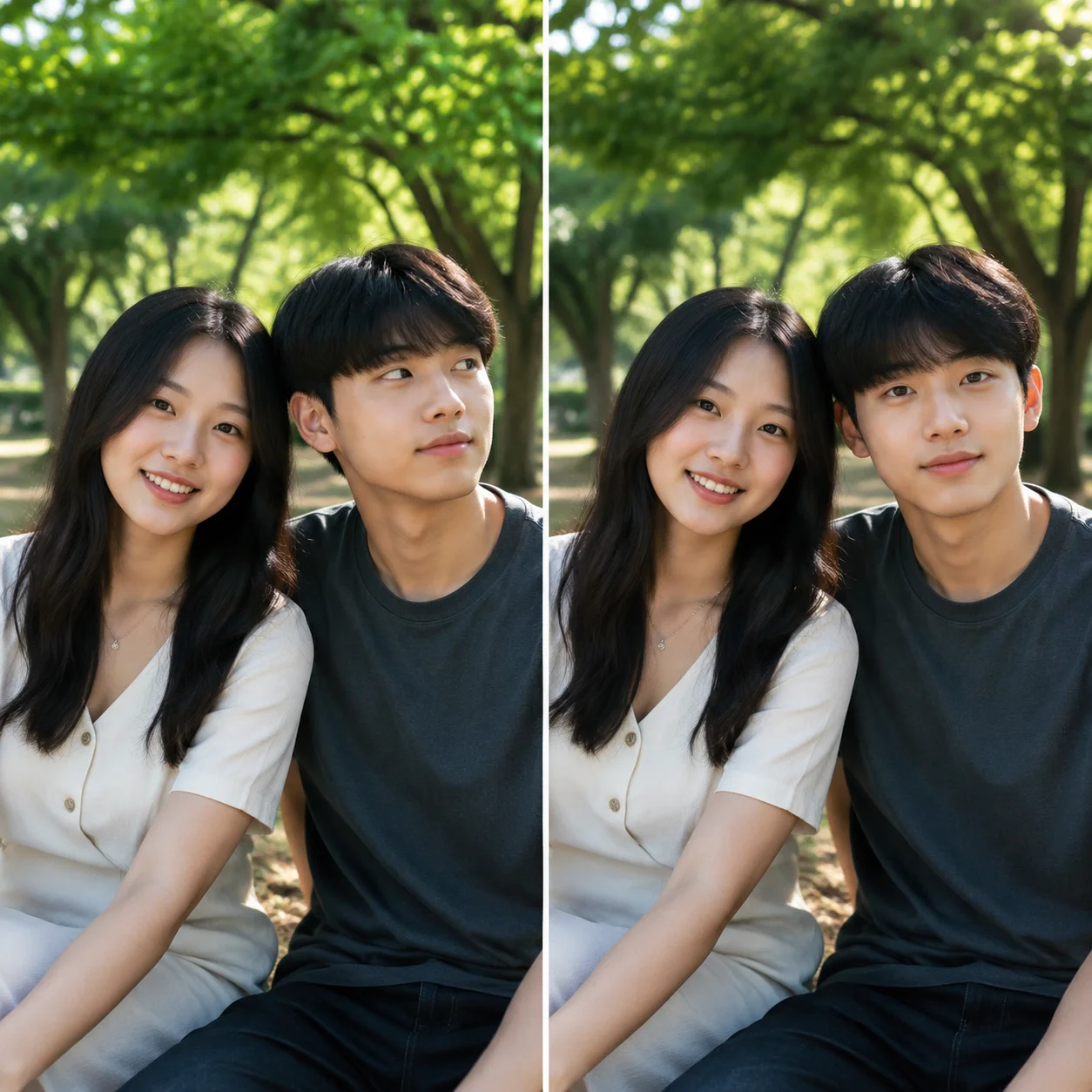
Upload any portrait to Seeda and describe where you want the gaze redirected. Unlike generic photo editors, Seeda's dedicated eye direction changer detects the eye structure and current gaze vector, then rotates and repositions each eye naturally within the socket while preserving skin tone, eyelid shape, brow position, and ambient lighting. Whether you need to fix closed eyes, correct off-camera gaze, or adjust every face in a group photo to look toward the lens, Seeda handles every step automatically with no editing skills required. No sliders, no manual masking, no face swap artifacts. Seeda is a free eye direction changer online for anyone needing natural gaze correction.

AI eye direction changer that delivers natural results every time

Bring in any photo and tell Seeda where to shift the gaze. The tool handles iris detection, rotation, and blending automatically.

AI eye detection mapping on a portrait for gaze redirection

Smart Gaze Mapping

Advanced eye direction changer AI finds and maps both eyes instantly

This AI eye direction changer photo editor locates both eyes, maps the iris boundary and pupil center, and determines the current gaze vector. It isolates the eye region from surrounding skin and eyelid geometry, then calculates the rotation needed to redirect the gaze to your target direction. Every step runs automatically inside the online tool, with no manual selection or adjustment required.

Iris detectionGaze mappingAuto analysis
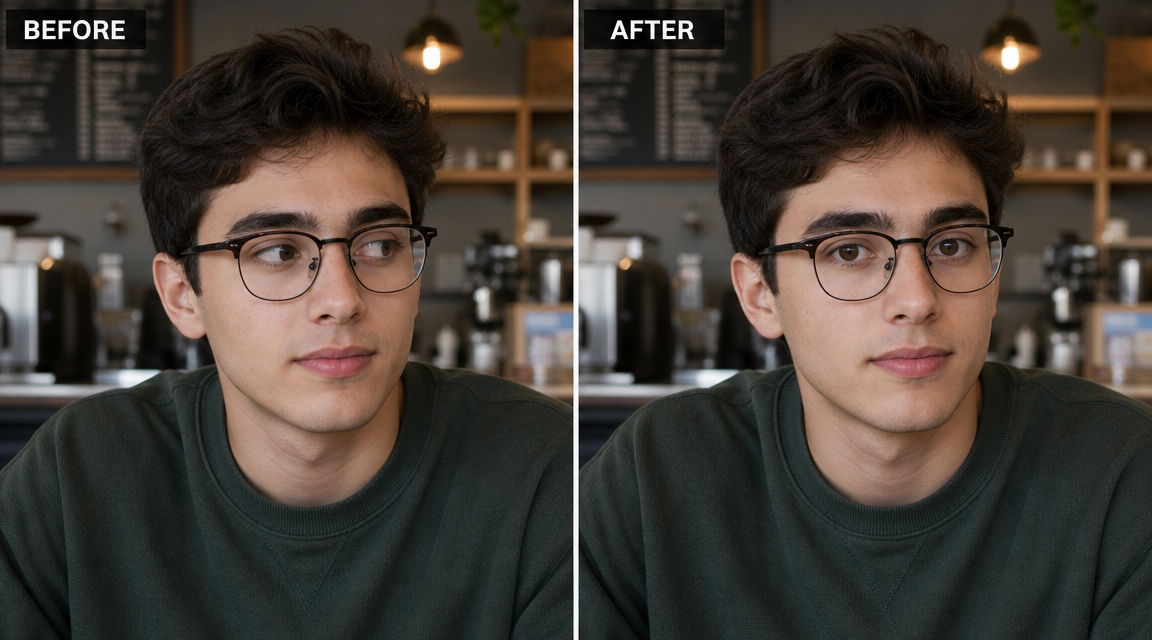
Natural eye reconstruction result after Seeda AI eye direction changer gaze redirection

Natural Eye Reconstruction

Every eye direction changer photo editor preserves original facial detail

Instead of pasting a generic eye asset, it rotates and repositions the existing eyes within the original eye socket. The AI maintains iris color, pupil dilation, eyelid crease, skin texture, and brow position. The surrounding orbital area blends seamlessly so the redirected gaze looks like it was captured that way in camera. Seeda prioritizes natural results above all else.

Natural resultDetail preservationSeamless
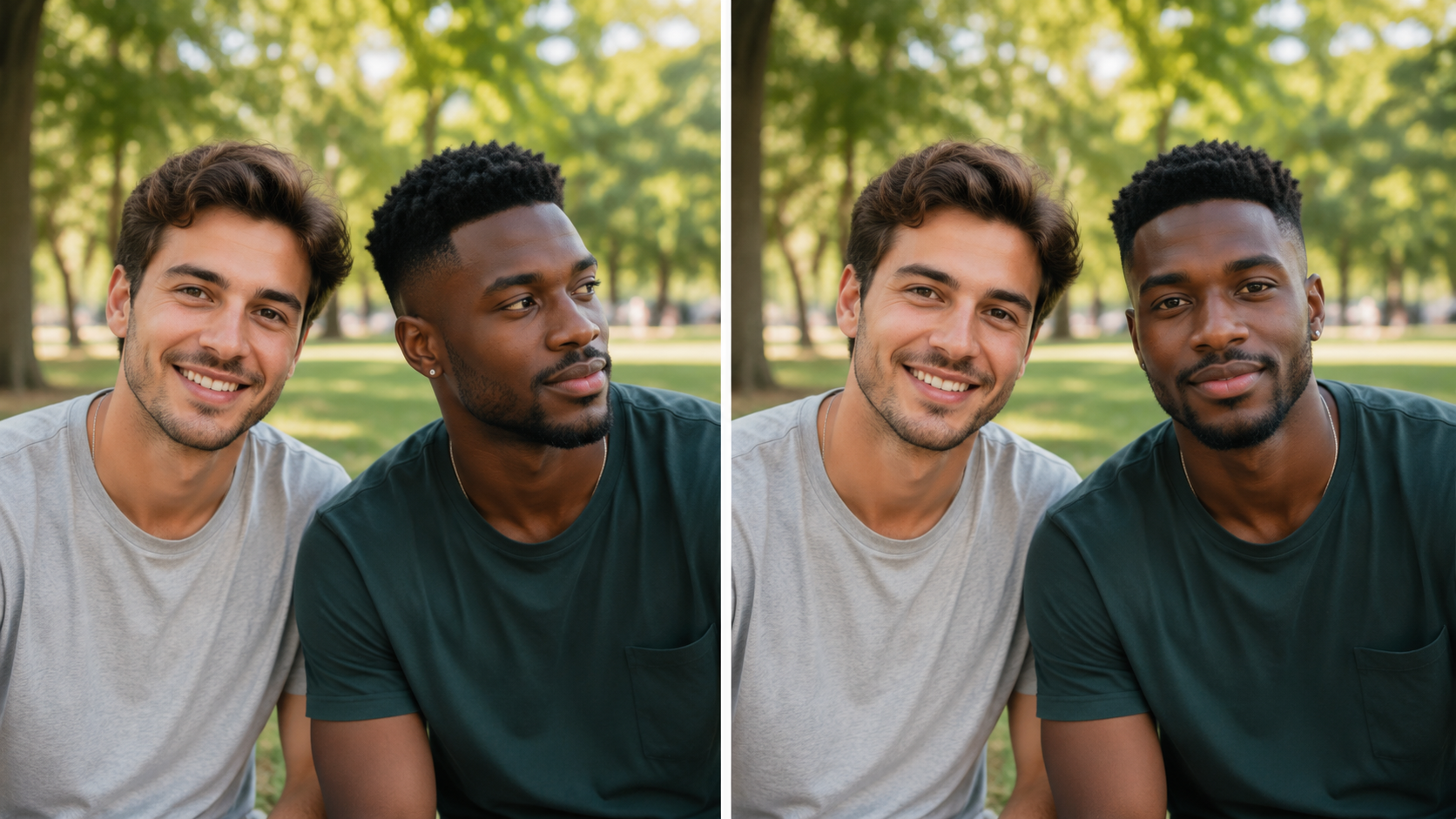
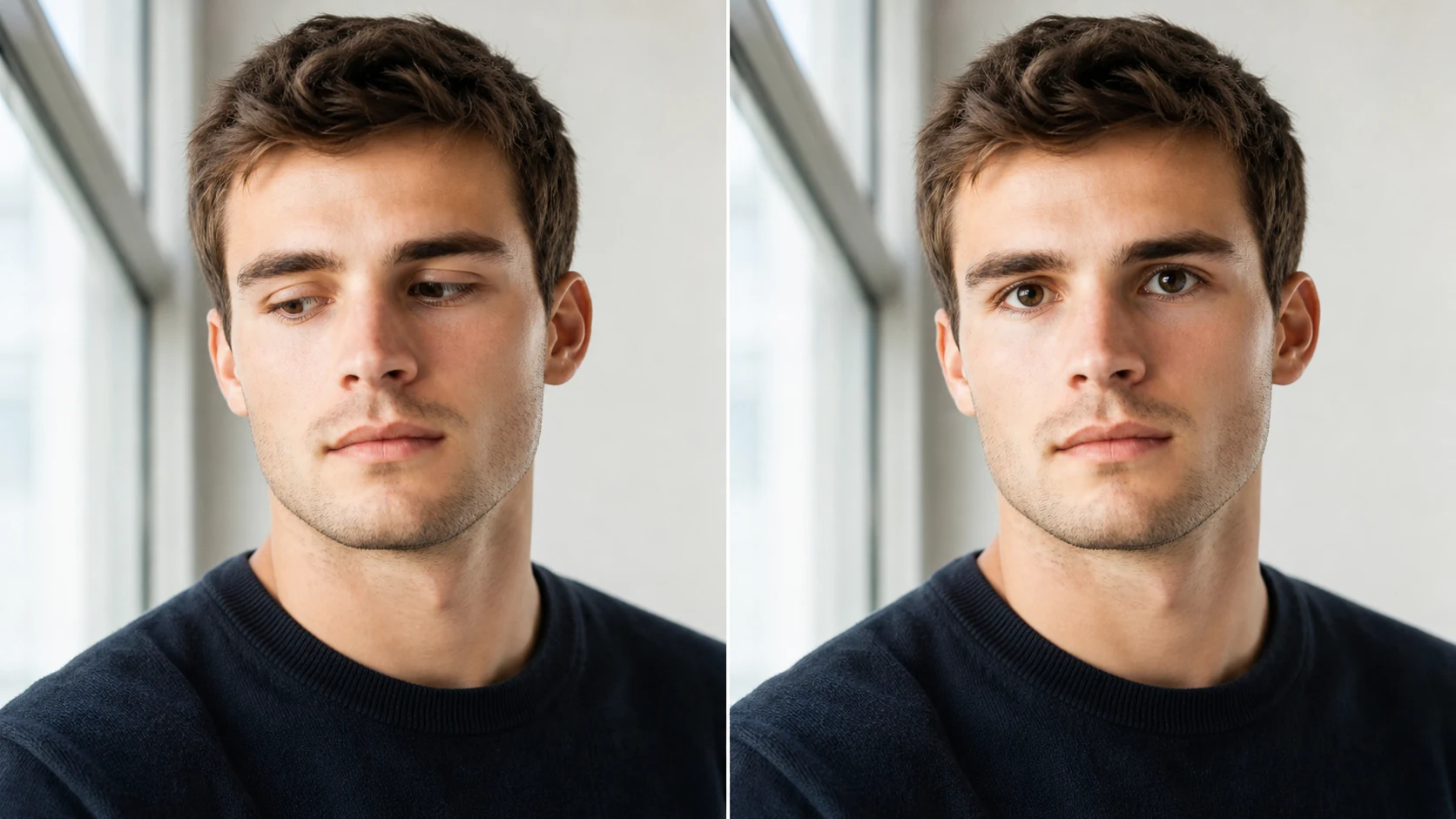
Comparison showing Seeda eye direction changer fixing closed eyes and redirecting off-camera gaze

Fix Closed Eyes and Redirect Gaze

Eye direction changer online AI handles any gaze condition

Seeda can open closed eyes by reconstructing eyes from facial context, fix half-blinked shots, and redirect gaze from any angle. It handles looking left, right, up, down, or away from camera. It also works on group photos where not everyone is looking at the lens. As a free eye direction changer online AI, it handles individual portraits and group shots with equal precision.

Fix closed eyesGaze correctionGroup photo fix
Workflow

How to use the eye direction changer in four simple steps

From upload to download, Seeda takes seconds. No editing experience or software needed.

1

Upload your portrait photo

Choose a photo where you want the eye direction changer to adjust the gaze. It works on closed eyes, subjects looking away, blinking shots, or any portrait where the gaze does not match what you need. The AI handles most face angles and lighting conditions automatically.

2

Describe the target gaze

Tell the eye direction changer where you want the eyes to look. Type "face the lens", "look left", "look up", or "open eyes". The AI reads your instruction and plans the iris rotation accordingly. No technical knowledge needed.

3

Review the gaze change result

Check the output to confirm the eye direction changer result looks natural and the face remains consistent. Toggle before and after comparison. If you need further adjustment, update the prompt and run the eye direction changer AI again with new instructions.

4

Download your corrected portrait

Preview the gaze-adjusted result, confirm every detail looks natural, and save the image. Seeda delivers your photo ready for immediate use with no watermark or branding.

Tips for better results from the eye direction changer

Small adjustments to your source photo and prompt make a big difference in how natural your results look.

Frequently asked questions about the eye direction changer AI free tool

Everything you need to know about using Seeda to change eye direction online, what it supports, and what to expect from the gaze change results.


Ready to change eye direction in your photo?

Use Seeda to redirect the gaze naturally in seconds. No account, no cost, no complications.