Old Photo Restorer for Clean 4K Memories

Upload a faded portrait, scanned family print, or damaged album photo and use the old photo restorer to repair scratches, cracks, blur, stains, and color loss while preserving the original person. The examples show comparison art so you can judge the effect, but the generator creates one clean restored result with natural color and sharper detail.

Best Old Photo Restorer Features for Real Memories

Use an old photo restorer online for repair, colorization, upscaling, and archive-ready cleanup in one simple workflow.

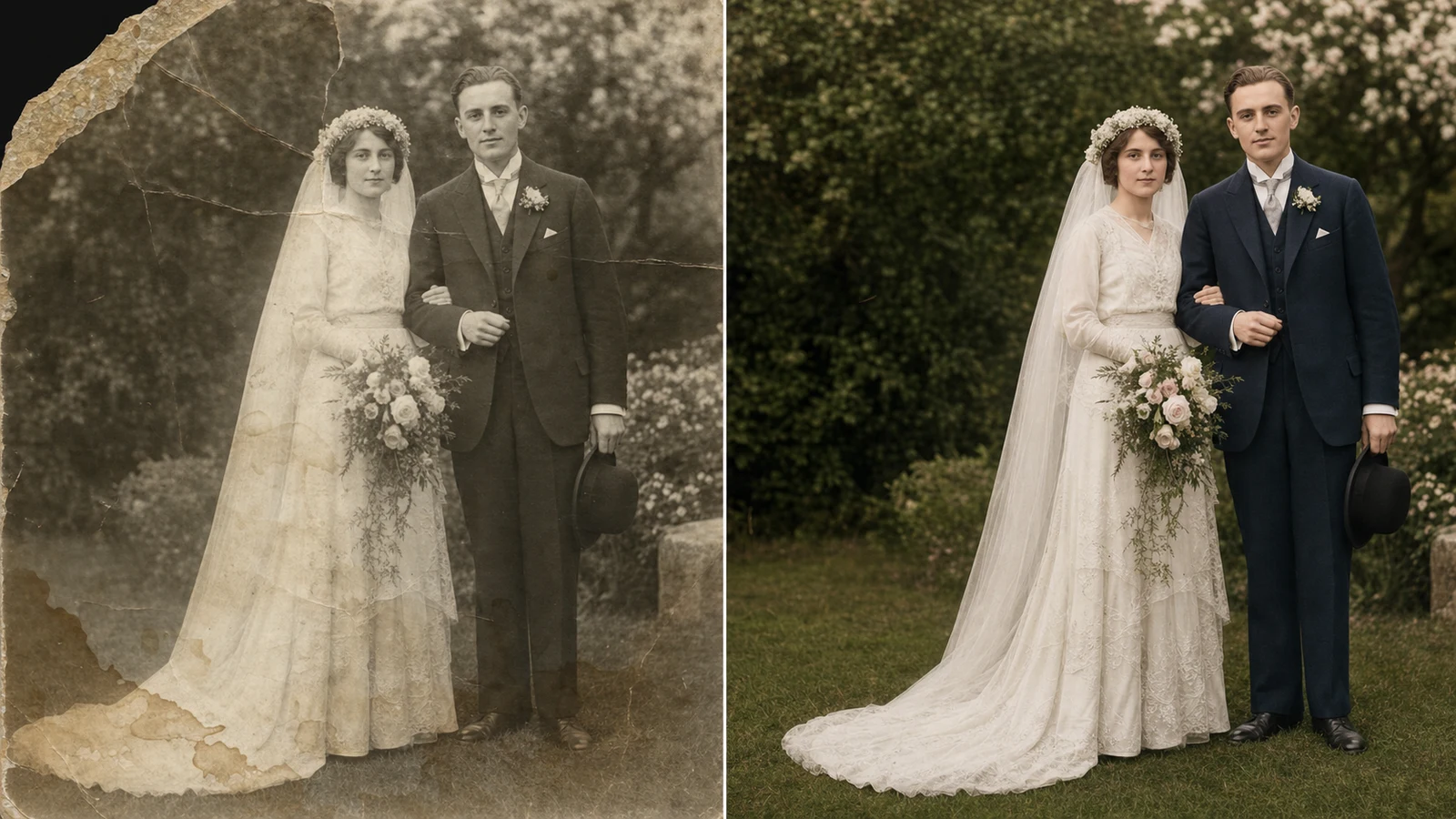
Old photo restorer online example repairing a faded wedding portrait with natural colorization

Repair Damage

Old photo restorer repair for scratches, cracks, and stains

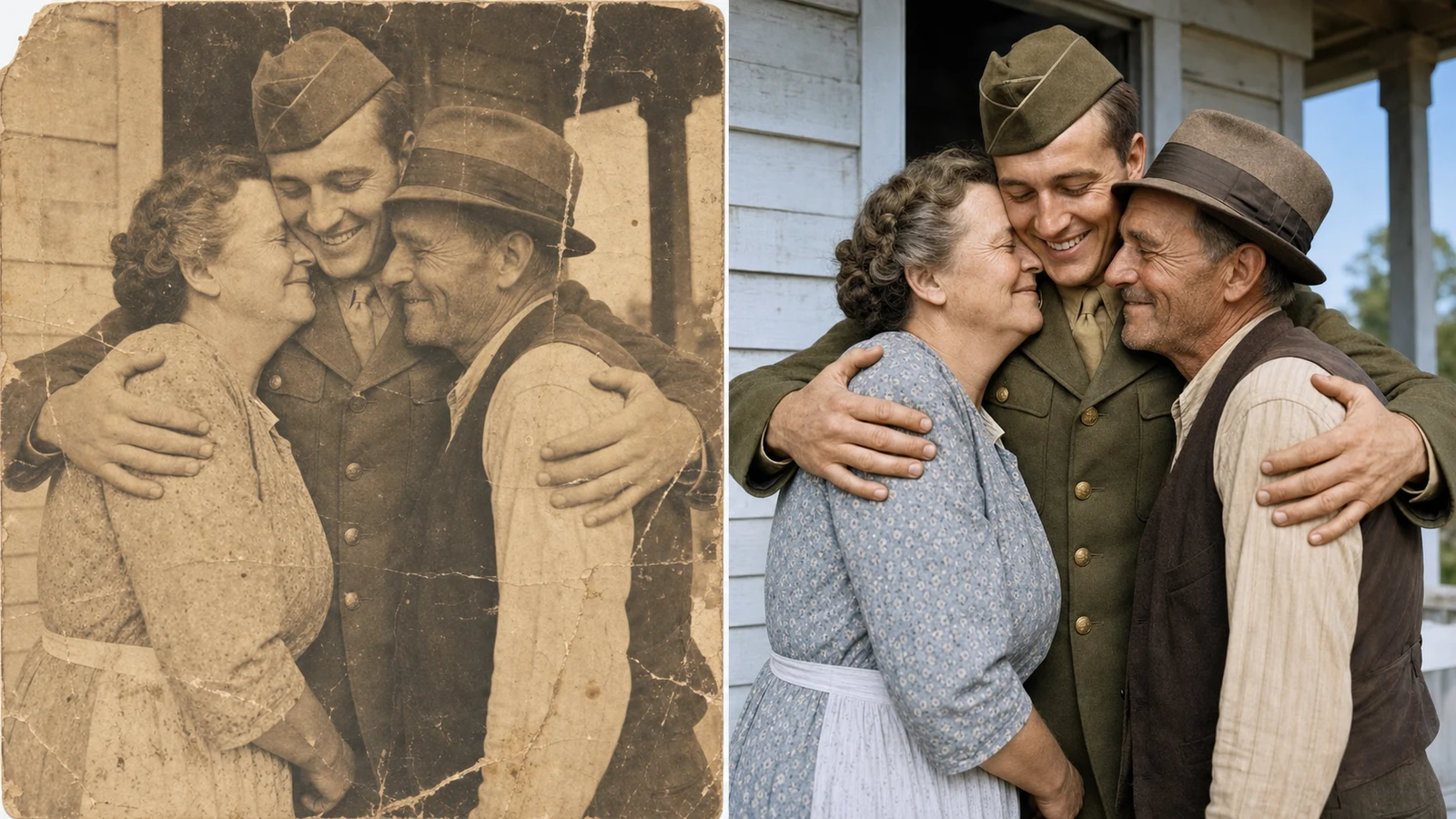
A useful old photo restorer should fix visible damage without erasing the soul of the picture. Seeda asks the model to repair scratches, fold lines, water stains, dust, faded corners, and soft detail while protecting the same faces and posture. This makes the old photo restorer free workflow practical for scanned family portraits, wedding photos, school pictures, and fragile album pages. If you need the best old photo restorer for a damaged print, start with a clear scan and ask for a respectful repair rather than a total remake.

Scratch repairStain cleanupIdentity safe
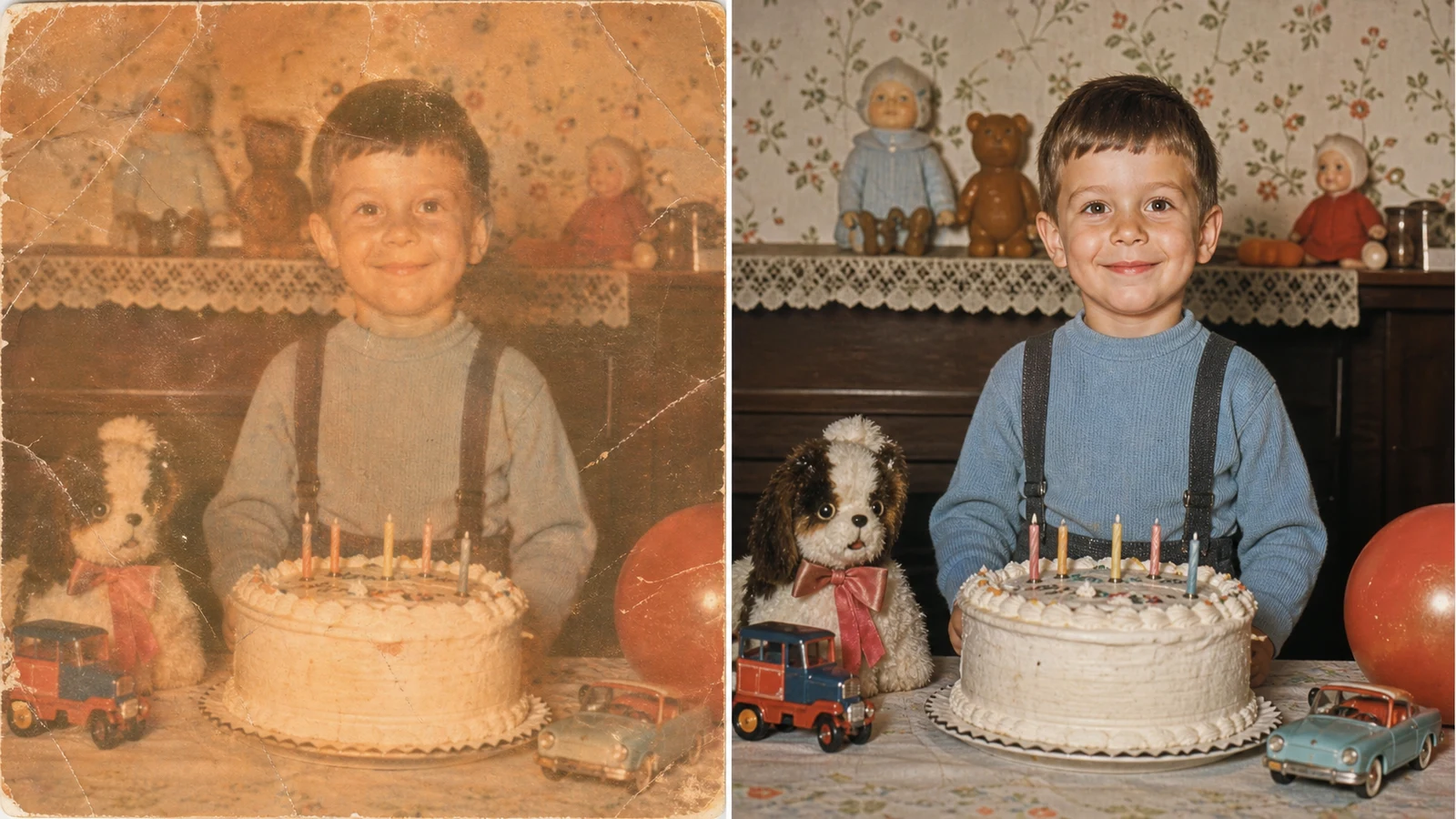
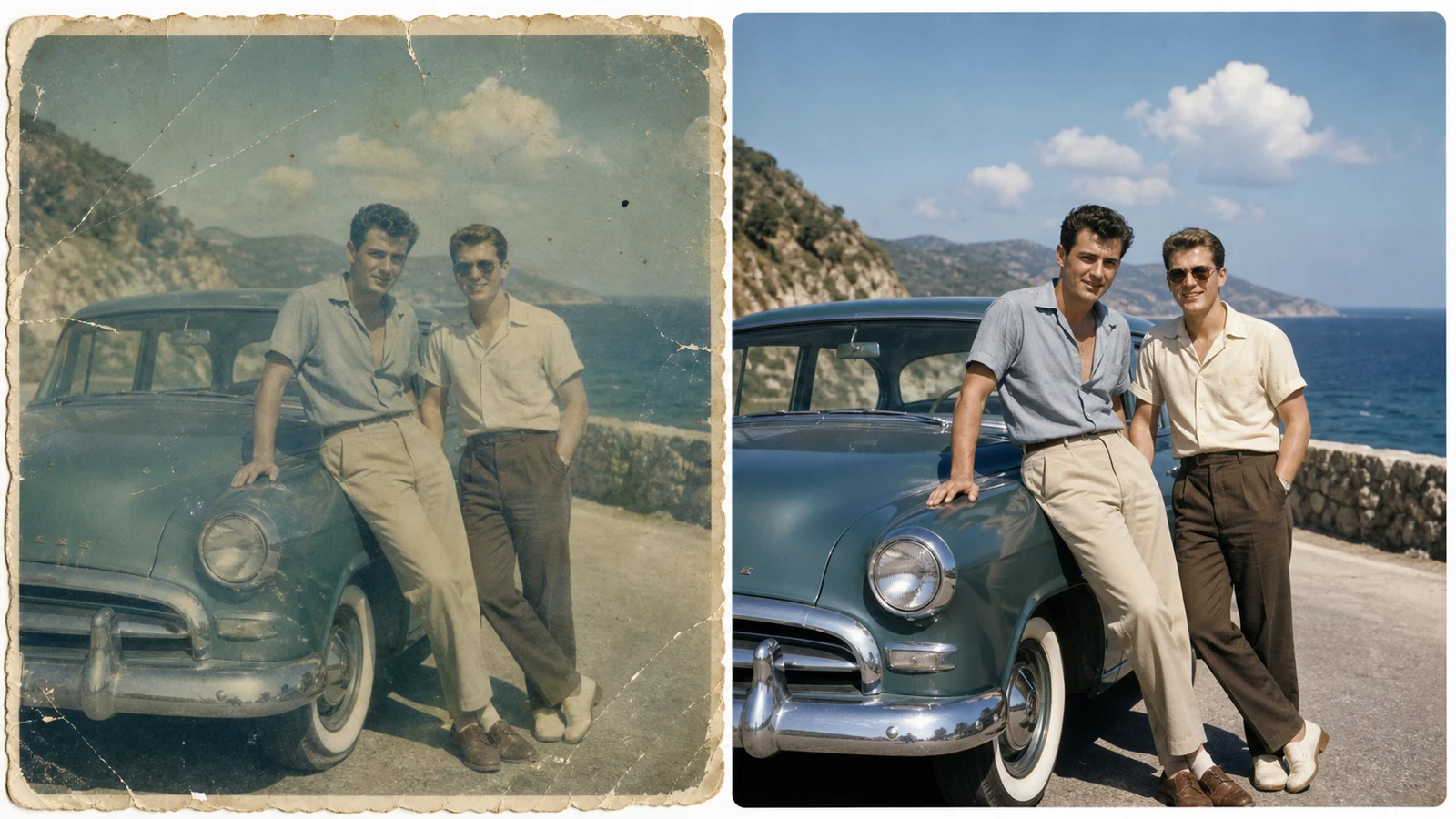
AI old photo restorer and colorizer example turning a faded childhood snapshot into a clean color result

Colorize Naturally

Old photo restorer and colorizer for believable tones

Many tools add color that feels too bright or modern. This old photo restorer and colorizer direction keeps skin tones, fabric, wood, sky, and room light believable for the era. Use the old photo restorer online prompt when a black-and-white or sepia photo needs gentle color, not a fantasy repaint. The result can help an ai old photo restorer colorizer upscaler turn old photo to new 4K quality while keeping the original mood intact.

Natural colorEra awareFamily archive
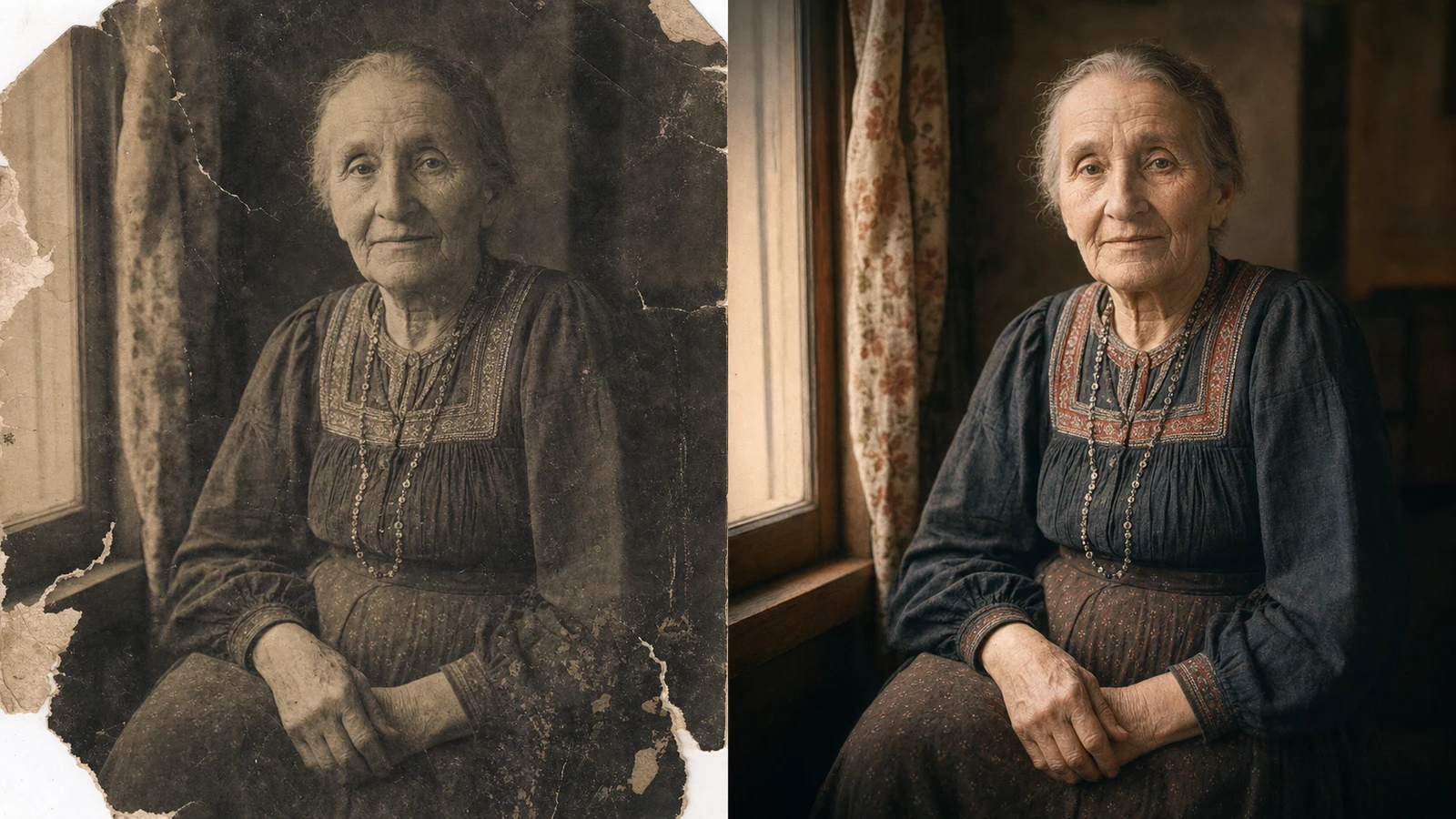
Old photo to new 4K online restoration preserving the identity and vintage character of an elderly portrait

Upscale to 4K

Old photo to new 4K online with preserved character

An old photo to new 4K online edit should improve clarity without creating a different person. Seeda uses an old photo restorer prompt that asks for sharper eyes, cleaner clothing texture, repaired edges, and balanced contrast while preserving age, expression, and historical character. Use this ai old photo restorer when you want a clean portrait for printing, slideshows, genealogy pages, or storytelling, but still want the photo to feel like the original artifact.

4K clarityFace detailPrint ready
Workflow

How to Use an Old Photo Restorer Online

Follow this old photo restorer online workflow to repair, colorize, and upscale one old image into a clean final result.

1

Upload the best scan

Choose the highest quality scan or phone capture you have. The old photo restorer free online workflow works best when faces are visible, the image is not overly cropped, and damage such as cracks or stains can be clearly seen.

2

Keep the restoration prompt respectful

Start with the default old photo restorer prompt. Mention scratches, fading, blur, stains, missing corners, or color loss, then ask the ai old photo restorer to preserve identity, clothing, pose, and historical character.

3

Review realism first

A best free old photo restorer online result should not change the person, invent modern clothing, or over-smooth every detail. Check faces, hands, uniforms, jewelry, and background objects before using the restored file.

4

Download the restored image

Save the finished old photo to new 4K result for a print, memorial, family archive, social post, documentary project, or presentation. Keep the original scan separately so the restored version remains traceable.

Old Photo Restorer Prompt Tips

Use these practical tips when you want an old photo restorer free online result that feels authentic instead of overprocessed.

Old Photo Restorer FAQ

Answers about using Seeda as an old photo restorer online for repair, colorization, and 4K restoration.


Restore an old photo with Seeda

Upload a faded or damaged memory and use the old photo restorer prompt to repair, colorize, and upscale it into one clean result.