Remove Double Chin from Photo Naturally

Use Seeda as a photo editor to remove double chin from photo portraits without changing the person. Upload a selfie, headshot, or candid social image, then let the AI get rid of double chin in photo areas caused by a low phone angle, relaxed posture, or unlucky shadow. The edit focuses on the under-chin area and jawline while keeping the same face shape, expression, hair, clothing, background, and lighting. If you need to remove double chin from photo online free for a profile update, campaign portrait, dating image, team bio, or family picture, start here with a realistic result that still looks like the original photo.

A Natural Photo Editor to Remove Double Chin

Fix double chin in photo portraits while keeping the image believable, recognizable, and ready to share.

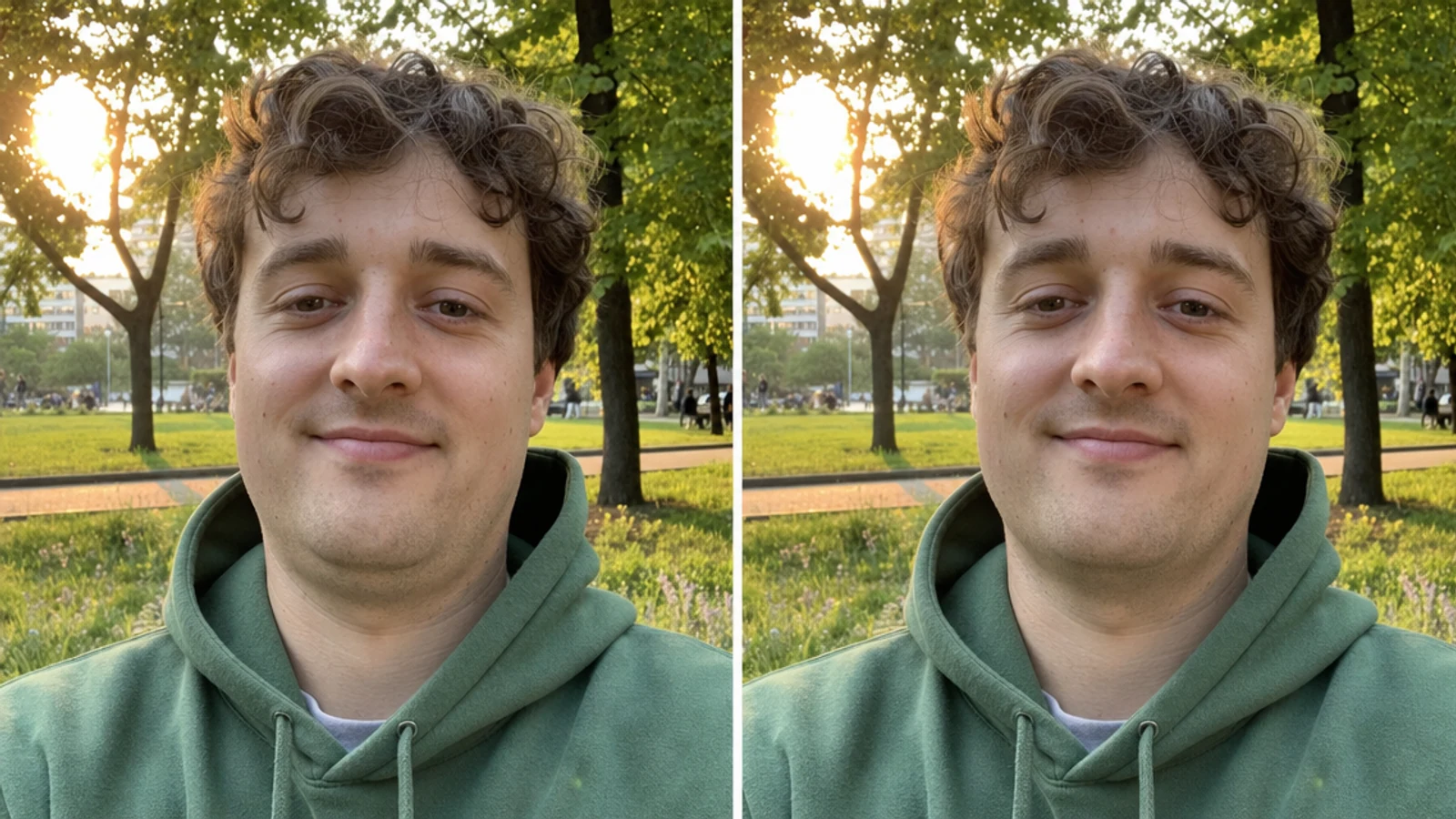
Natural double chin removal photo editor result for a casual portrait

Identity-Safe Retouching

Get rid of double chin in photo edits without changing the face

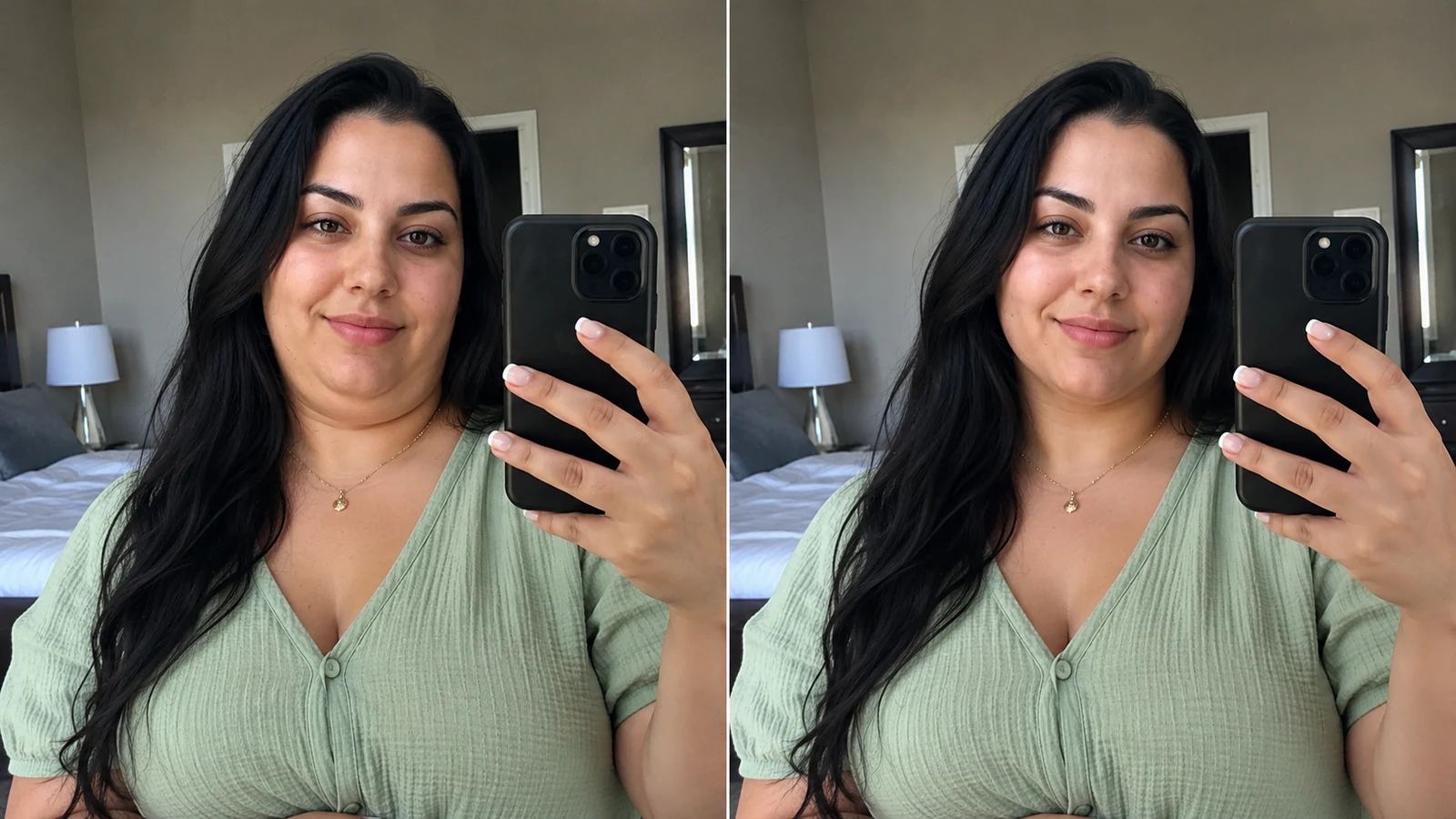
A strong double chin picture remover should not make the person look like someone else. Seeda targets the small zone under the chin, then balances the jawline shadow so the image keeps the same face width, cheeks, smile, and age. Use it when you want to remove double chin from photo images that already look good except for a low camera angle or relaxed neck position.

Natural editIdentity preservedPortrait cleanup
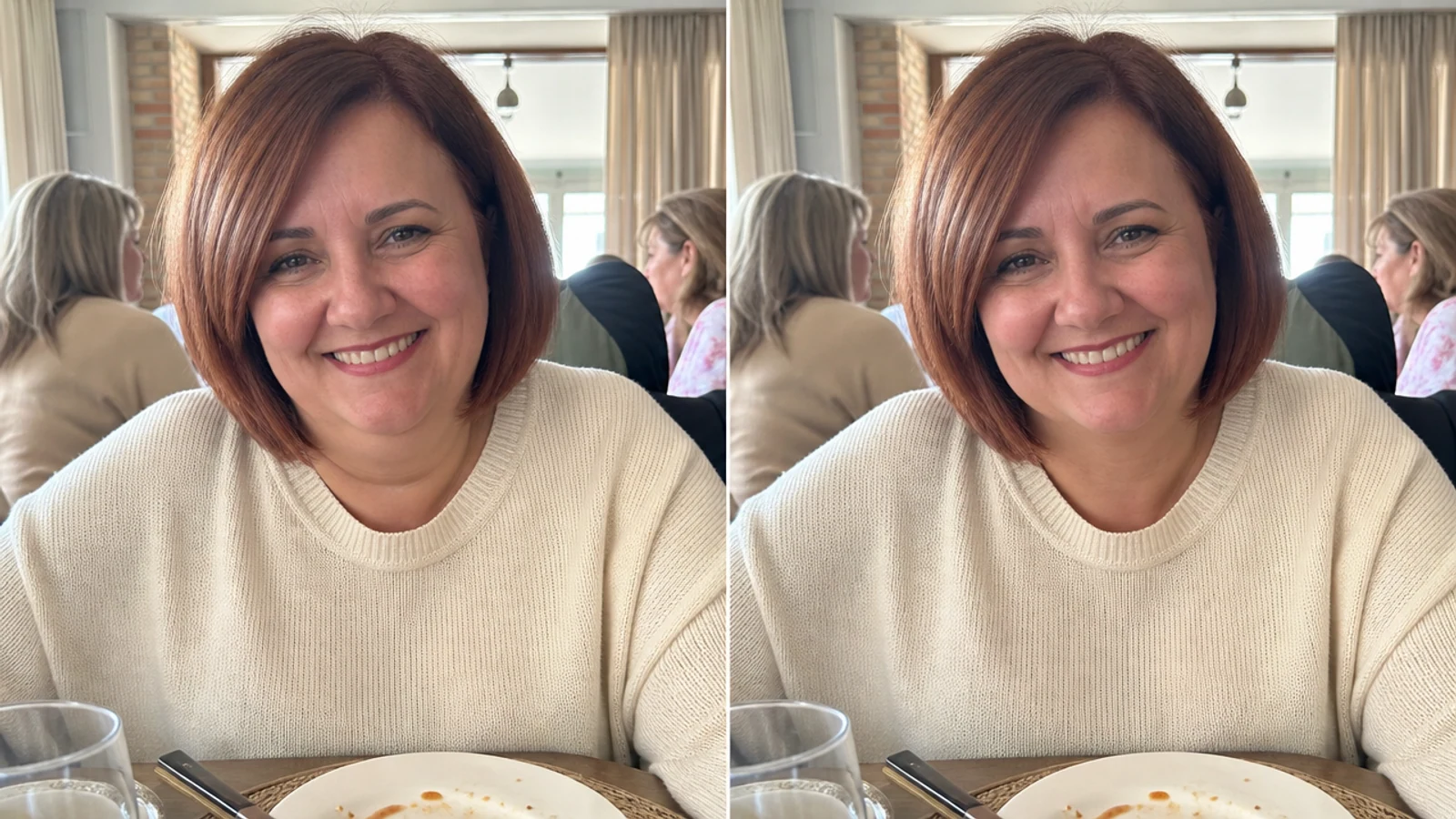
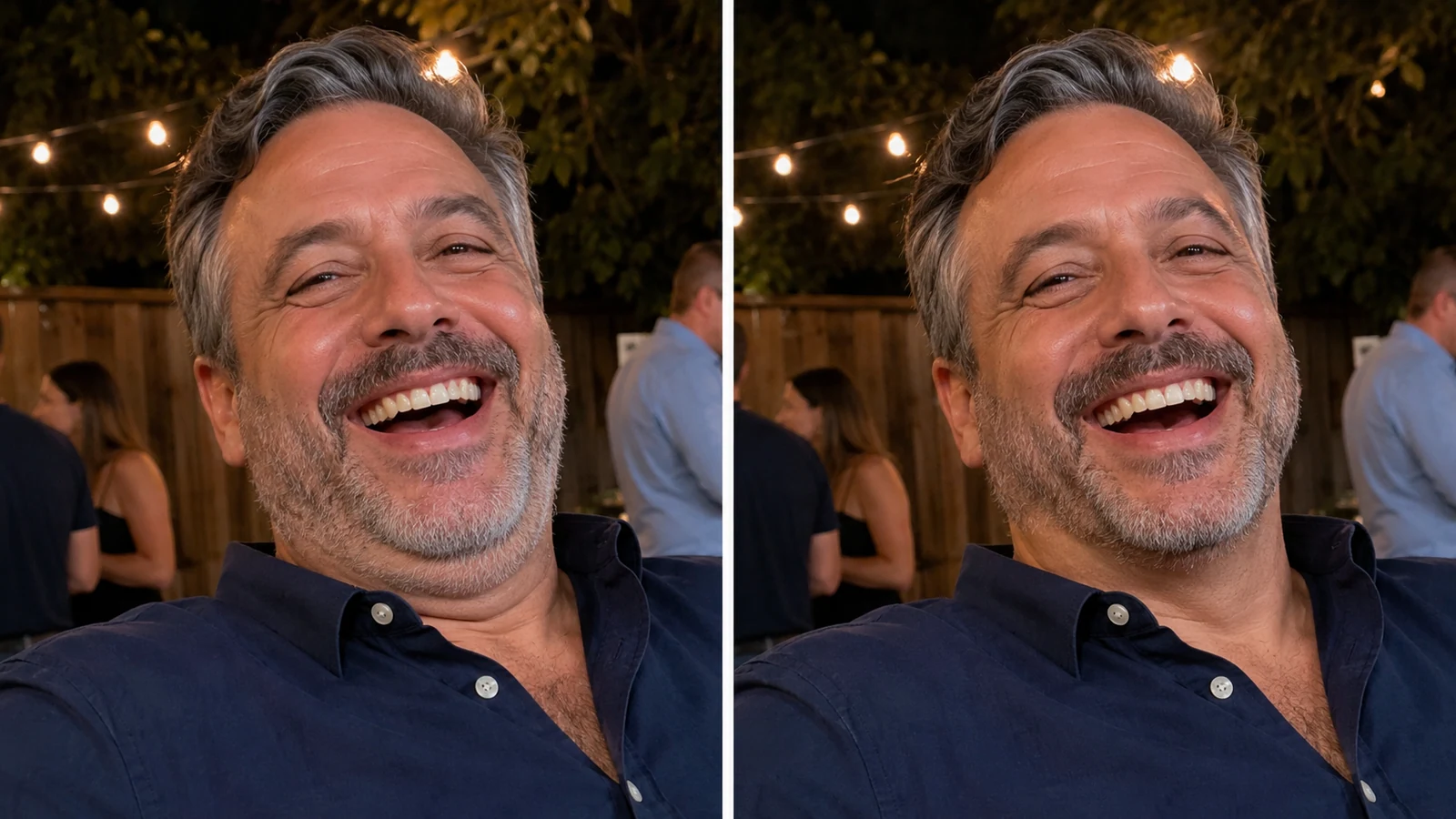
Subtle edit double chin out of photo example for a warm candid portrait

Social-Ready Results

Edit double chin out of photo files for profiles and posts

Candid photos often have great expression, lighting, and background, but the phone sits too low. Instead of discarding the shot, use this photo editor to get rid of double chin while preserving the original moment. It is useful for profile pictures, dating photos, creator headshots, personal branding images, and family portraits where authenticity matters.

Profile photoCandid portraitReal texture
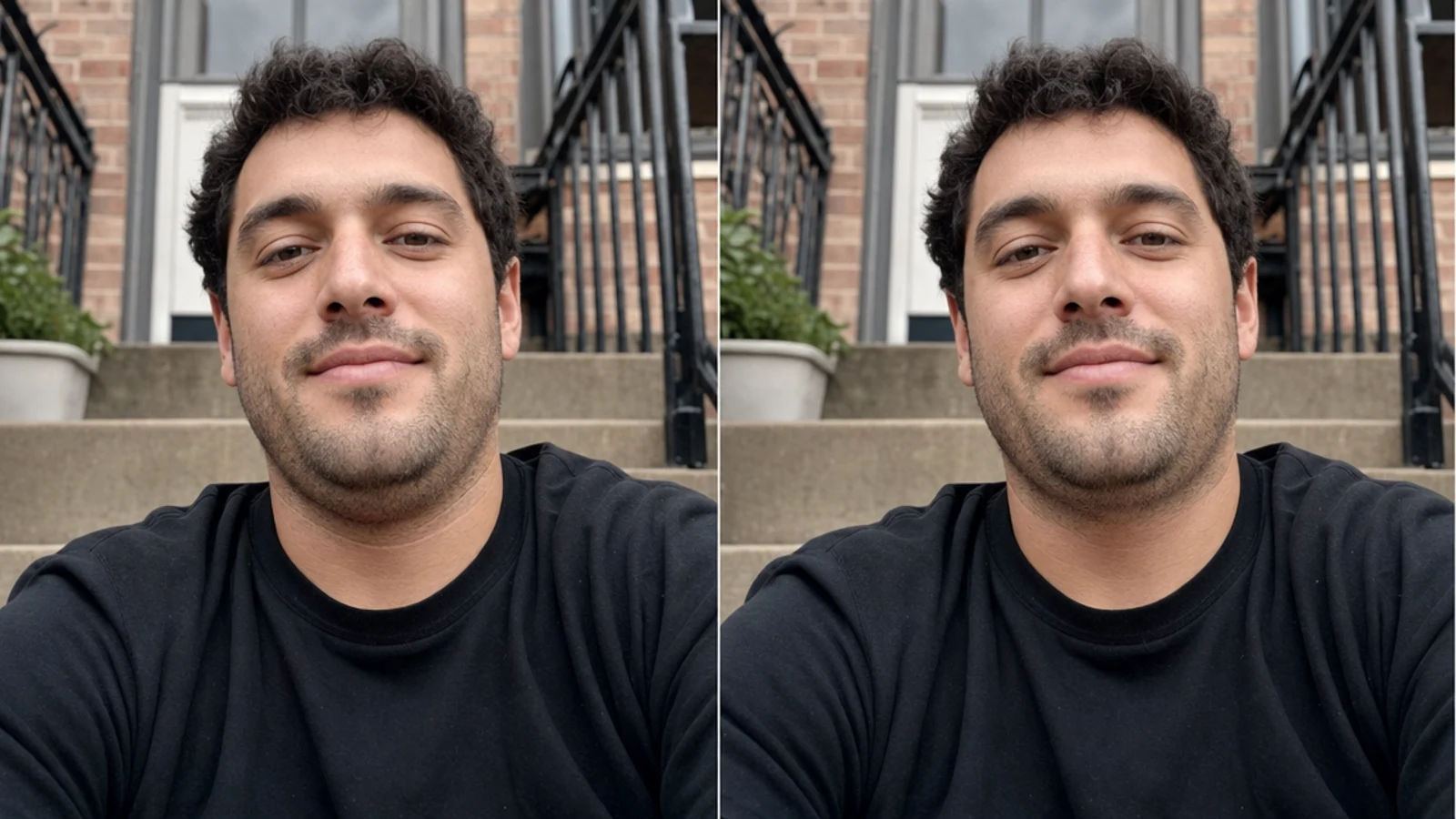
Realistic jawline refinement to remove double chin in pictures

Targeted Jawline Cleanup

Fix double chin in photo without a beauty-filter look

Many editors over-smooth skin or reshape the whole lower face. Seeda keeps the edit narrow: refine the under-chin contour, clean the neck shadow, and preserve everything else. The result helps remove double chin on photo uploads while avoiding plastic surgery effects, exaggerated slimming, or face-swap artifacts.

Jawline onlyNo over-smoothingRealistic output
Workflow

How to Remove Double Chin from Photo Online

Follow a simple image-to-image workflow to remove double chin from photo online while keeping the portrait natural.

1

Upload the portrait

Choose a front-facing selfie, candid picture, team headshot, or social photo where the original is otherwise usable. The best inputs have clear face detail and visible under-chin area.

2

Use the natural edit prompt

Start with the default prompt to remove double chin from photo free, then add details if needed. You can mention that the edit should preserve face shape, expression, skin tone, hair, clothing, background, and lighting.

3

Review the jawline

Check that the result only improves the under-chin contour. A good double chin removal photo editor online should not make cheeks smaller, change age, smooth every pore, or alter the person's expression.

4

Download and share

Save the finished portrait for your profile, campaign, portfolio, or personal album. The goal is a natural photo edit double chin cleanup that looks like a better camera angle, not a transformation.

Tips to Get Rid of Double Chin in Pictures

Use these prompt and input tips when you need to edit double chin in pictures without losing the original portrait style.

Remove Double Chin from Photo FAQ

Answers about using Seeda as a natural double chin removal photo editor online.


Remove double chin from photo with a natural edit

Upload a portrait and create a realistic under-chin cleanup that keeps the person, moment, and lighting intact.